
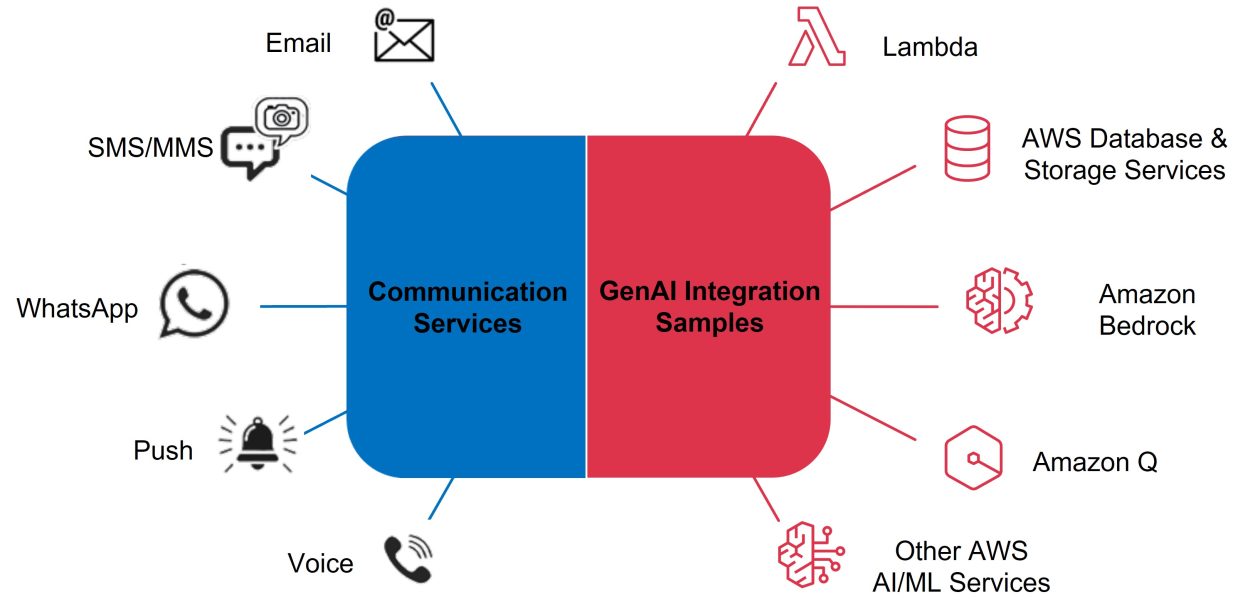
Building an AI-Powered Communication Hub: Orchestrating SMS, WhatsApp, and Email with Amazon Bedrock
Your customers reach out through SMS. Through email. Through WhatsApp. Through web chat.
Your team responds through… spreadsheets? Disconnected inboxes? Maybe a CRM that sort of ties things together?
Meanwhile, each channel has its own queue, its own response time, its own tribal knowledge about how to handle common questions. Customer context gets lost between channels. Response quality varies wildly depending on who’s working.
There’s a better way. Amazon Bedrock—combined with AWS End User Messaging and SES—enables enterprises to build unified communication hubs where AI handles routine inquiries across every channel, escalates complex issues to humans, and maintains full context throughout the customer journey.
This article shows you how.
Table of Contents
- The Fragmented Communications Problem
- The Vision: Unified AI-Powered Response
- Architecture Overview
- How the Chat Orchestrator Works
- Adding Email Categorization
- Building the Engagement Analytics Layer
- Use Cases in Practice
- Production Considerations
- Why This Needs Expert Implementation
The Fragmented Communications Problem
Most enterprises manage customer communications through a patchwork of tools:
- SMS: Maybe Twilio, maybe a marketing platform, maybe something homegrown
- Email: Exchange or Google Workspace, possibly routed through a support desk
- WhatsApp: Business API through a third party, or worse—personal phones
- Web chat: A widget from yet another vendor
Each channel operates independently:
- Different teams monitor different inboxes
- No shared view of customer history
- Inconsistent response quality and timing
- Manual triage that doesn’t scale
- Analytics siloed by channel
The result: A customer emails about an order issue, doesn’t get a response, texts asking for status, gets transferred to someone who has no idea about the email, and eventually gives up.
Sound familiar?
The Vision: Unified AI-Powered Response
Imagine instead:
- All channels feed one brain. SMS, WhatsApp, email—every inbound message routes through a central orchestration layer.
- AI handles the routine. Common questions get instant, accurate responses. Order status? Check. Return policy? Explained. Business hours? Answered. No human required.
- Context persists across channels. A customer who starts on SMS and continues via email doesn’t repeat themselves. The AI knows the conversation history.
- Smart routing for humans. When AI can’t help, messages route to the right team with full context. Sales inquiries to sales. Technical issues to support. Urgent matters flagged for immediate attention.
- Everything is tracked. Unified analytics show response times, resolution rates, and channel performance in one dashboard.
This isn’t science fiction. AWS provides the building blocks. You just need to put them together.
Architecture Overview
The architecture combines three AWS sample implementations into a cohesive system:
                    ┌─────────────────┐
                    │   Customers     │
                    └────────┬────────┘
                             │
        ┌────────────────────┼────────────────────┐
        │                    │                    │
   ┌────▼────┐         ┌─────▼─────┐        ┌────▼────┐
   │   SMS   │         │  WhatsApp │        │  Email  │
   │ (EUMT)  │         │  (EUMT)   │        │  (SES)  │
   └────┬────┘         └─────┬─────┘        └────┬────┘
        │                    │                    │
        └────────────────────┼────────────────────┘
                             │
                    ┌────────▼────────┐
                    │ Chat Orchestrator│
                    │  (Lambda + DDB)  │
                    └────────┬────────┘
                             │
              ┌──────────────┼──────────────┐
              │              │              │
       ┌──────▼──────┐ ┌─────▼─────┐ ┌──────▼──────┐
       │  Bedrock    │ │  Bedrock  │ │   Human     │
       │ Knowledge   │ │  Agents   │ │  Escalation │
       │   Base      │ │           │ │             │
       └──────┬──────┘ └─────┬─────┘ └──────┬──────┘
              │              │              │
              └──────────────┼──────────────┘
                             │
                    ┌────────▼────────┐
                    │   Engagement    │
                    │    Database     │
                    │ (S3 + Athena)   │
                    └─────────────────┘
Key Components:
| Component | AWS Service | Purpose |
|---|---|---|
| SMS/WhatsApp Ingestion | End User Messaging | Receive and send messages |
| Email Ingestion | SES Mail Manager | Receive, scan, and categorize email |
| Orchestration | Lambda + DynamoDB | Route messages, maintain conversation state |
| AI Response | Bedrock Knowledge Bases/Agents | Generate intelligent responses |
| Analytics | Kinesis + S3 + Athena | Track engagement across channels |
How the Chat Orchestrator Works
The AWS Chat Orchestrator sample provides the core routing logic.
Message Flow
- Inbound message arrives via SMS (AWS End User Messaging) or WhatsApp
- SNS topic receives the message and triggers a Lambda function
- Channel-specific preprocessing normalizes the message format
- Orchestrator retrieves configuration from DynamoDB based on use case
- Response generator invokes Bedrock (Knowledge Base or Agent)
- Outbound processor sends the response back through the originating channel
Conversation State
DynamoDB maintains conversation state:
- Session ID per customer
- Channel history
- Context from previous exchanges
- Timestamp for TTL cleanup
This means a customer can have a multi-turn conversation, and the AI remembers what was discussed.
Use Case Configuration
The orchestrator supports multiple “use cases”—different AI backends for different scenarios:
{
  "useCaseId": "customer-support",
  "channels": ["sms", "whatsapp"],
  "responseGenerator": "bedrock-kb",
  "knowledgeBaseId": "KB-12345",
  "initialMessage": "Hi! I'm your virtual assistant. How can I help?"
}
You might have:
- customer-support: Routes to a Knowledge Base trained on your help documentation
- sales-inquiry: Routes to a Bedrock Agent that can look up pricing and availability
- appointments: Routes to an Agent that can check calendars and book slots
Adding Email Categorization
Email requires special handling. Unlike SMS (short, conversational), emails are often long, formal, and require different response patterns.
The GenAI Email Categorization sample adds intelligent email triage:
How It Works
- SES Mail Manager receives inbound email
- Vade Add-on scans for viruses and spam
- Clean emails land in S3, triggering a Lambda
- Lambda parses the MIME message and extracts content
- Bedrock categorizes the email (e.g., “sales inquiry,” “support request,” “complaint”)
- Urgency scoring flags time-sensitive messages
- Routing logic sends to appropriate queues
Customizable Categories
You define the categories that matter to your business:
Categories:
- sales_inquiry (new business opportunity)
- support_request (existing customer needs help)
- billing_question (payment or invoice related)
- complaint (unhappy customer)
- spam (should not have reached inbox)
- other (uncategorized)

Urgency Levels:
- critical (requires immediate response)
- high (same-day response needed)
- normal (standard SLA)
- low (can wait)
Integration with the Orchestrator
Once categorized, emails can flow into the same orchestration layer:
- Auto-response: Low-complexity emails get AI-generated replies
- Agent queue: Complex emails route to human agents with AI-suggested responses
- Escalation: Critical urgency triggers immediate notifications (SMS to on-call, Amazon Connect call)
Building the Engagement Analytics Layer
The Engagement Database sample completes the picture with unified analytics.
Why Unified Analytics Matters
Without cross-channel analytics, you can’t answer basic questions:
- What’s our average response time across all channels?
- Which customers engage with us most frequently?
- Are we meeting SLAs for critical issues?
- Which channels drive the most resolutions?
Architecture
Channel Events → Kinesis Firehose → Lambda Transform → S3 → Athena → QuickSight
All messaging events—sends, deliveries, opens, responses—flow through a common pipeline and land in a canonical data model.
Canonical Data Model
Every event gets normalized:
| Field | Description |
|---|---|
| timestamp | When the event occurred |
| channel | sms, email, whatsapp |
| direction | inbound, outbound |
| customer_id | Your internal customer identifier |
| conversation_id | Links messages in a thread |
| event_type | sent, delivered, opened, responded |
| content_hash | For deduplication |
| metadata | Channel-specific details |
Sample Queries
With Athena, you can run cross-channel analytics:
-- Average response time by channel
SELECT channel,
       AVG(response_time_seconds) as avg_response_time
FROM engagement_events
WHERE event_type = 'responded'
GROUP BY channel;

-- Customer journey across channels
SELECT customer_id, channel, timestamp, event_type
FROM engagement_events
WHERE customer_id = '12345'
ORDER BY timestamp;
Use Cases in Practice
Customer Service Automation
Scenario: E-commerce company handling 10,000+ inquiries per week across SMS, email, and WhatsApp.
Before: 15 agents manually triaging and responding. 24-hour average response time. Inconsistent answers.
After:
- AI handles 70% of inquiries instantly (order status, return policy, shipping info)
- Email auto-categorized by urgency—critical issues get immediate human attention
- Remaining 30% routed to agents with AI-suggested responses
- Response time drops to under 2 hours average
Sales Inquiry Qualification
Scenario: B2B software company receiving leads through web forms, email, and occasionally SMS.
Before: All leads dumped into CRM. Sales reps manually qualify. Hot leads get lost in the pile.
After:
- AI engages immediately with follow-up questions
- Qualification scores assigned based on responses
- Hot leads escalated immediately with full context
- Lower-priority leads nurtured through automated sequences
Appointment Scheduling
Scenario: Healthcare provider managing appointment requests across phone, SMS, and patient portal.
Before: Staff manually check calendars, call back patients, play phone tag.
After:
- Patient texts “I need to schedule a checkup”
- AI checks availability and offers slots
- Patient confirms via text
- Appointment booked, confirmation sent, reminder scheduled
- Zero human involvement for routine scheduling
Production Considerations
The AWS samples are starting points, not production systems. Before going live, address:
Security
- Data encryption: Ensure PII is encrypted at rest and in transit
- Access controls: Limit who can view customer communications
- Audit logging: Track all access to message content
- PII handling: Use Amazon Comprehend to detect and redact sensitive data
Compliance
- Consent management: Track opt-in/opt-out per channel
- Message retention: Define retention policies per regulation
- Recording disclosures: Inform customers when AI is responding
Reliability
- Error handling: What happens when Bedrock is unavailable?
- Fallback routing: Ensure humans can take over when AI fails
- Rate limits: Handle throttling from messaging providers
- Monitoring: CloudWatch dashboards for system health
Content Safety
- Bedrock Guardrails: Filter harmful content in responses
- Human review: Sample and review AI responses for quality
- Escalation triggers: Detect when customers are upset or mention legal issues
Why This Needs Expert Implementation
These AWS samples demonstrate the possible. Turning them into production systems requires expertise in:
Integration complexity:
- Connecting to your existing CRM and ticketing systems
- Mapping customer identities across channels
- Handling edge cases the samples don’t cover
AI model tuning:
- Building Knowledge Bases from your content
- Creating Agents with the right tools and permissions
- Prompt engineering for your specific use cases
- Testing and iterating on response quality
Operations:
- Monitoring and alerting
- Scaling for your message volumes
- Cost optimization (Bedrock pricing adds up at scale)
- Ongoing model and content updates
Security and compliance:
- Aligning with your industry requirements (HIPAA, PCI, etc.)
- Integrating with your identity and access management
- Audit readiness
Getting Started
Building a unified AI communication hub is a significant undertaking—but the ROI is substantial. Organizations that implement these systems typically see:
- 50-70% reduction in routine inquiry handling time
- 3-5x improvement in response time
- 20-30% reduction in customer service costs
- Measurable improvement in customer satisfaction scores
AllCode has implemented AI-powered communication systems for enterprises across industries. As an AWS Advanced Consulting Partner with GenAI Competency, we bring:
- Deep expertise in Amazon Bedrock, SES, and End User Messaging
- Experience turning AWS samples into production systems
- Understanding of enterprise security and compliance requirements
- Ongoing support and optimization
Ready to explore what’s possible?
Schedule a free 30-minute GenAI architecture review →
Let’s discuss your communication channels, volumes, and goals—and map out what a unified AI-powered system could look like for your organization.